The world of tattoo artistry is undergoing a digital revolution. By now, you’ve likely heard the buzz surrounding Adobe Firefly, the generative AI engine integrated directly into Photoshop. It promises to turn text into stunning visuals in seconds. But for the tattoo community—artists, enthusiasts, and collectors—the big question remains:
Is Adobe Firefly actually good for designing tattoos?
We decided to put it to the test. In this comprehensive review, we’ll dive deep into Firefly’s capabilities, analyze its prompt handling for different tattoo styles, and reveal where it falls short compared to specialized AI tattoo generators.
If you are looking for clean stencils, body mapping, or the ability to animate your tattoo, this review will save you hours of trial and error. We also pit Firefly head-to-head against the three specialized alternatives that keep coming up for tattoo design — Leonardo.ai, Midjourney and BlackInk.ai — so you can pick the right tool for 2026.
Our #1 pick
Leonardo.ai
Best quality-to-price ratio of the lineup. Sharp line art, decent prompt control, and a free tier generous enough to test 10+ tattoo concepts before paying a cent.
Try Leonardo.aiWhat is Adobe Firefly? (And Why the Hype?)
Before we start inking (virtually), let’s clarify what we are dealing with. Adobe Firefly is a family of creative generative AI models. Unlike Midjourney, which lives on Discord, Firefly is often used directly inside Adobe Photoshop or via a web interface.
Its biggest selling point in the US market is copyright safety. Adobe trained its model primarily on Adobe Stock images, meaning the generated art is commercially safe. For a graphic designer, this is a dream. But does a "safe" model translate to "cool tattoos"?
The "Generalist" Problem
Adobe Firefly is a generalist. It’s designed to create landscapes, stock photos of people shaking hands, and surreal digital art. It was not trained specifically on flash sheets, stencils, or human anatomy relevant to tattooing. Keep this in mind as we look at the results.
The Hands-On Test: Designing Tattoos with Firefly
To give you an honest review, we ran specific tattoo-related prompts through the latest version of Adobe Firefly (Image 3 Model) to see how it handles the nuances of ink.
Test 1: American Traditional (Old School)
Prompt: "American traditional tattoo design of a roaring panther, bold lines, limited color palette, white background."
The Result: Firefly understands the concept of "Old School." It produces the panther and the colors are generally correct (reds, yellows, blacks).
The Verdict: It looks like a sticker, not a tattoo. The shading often has a 3D digital look rather than the whip-shading technique used by tattooers. It’s great for a mood board, but a tattoo artist would need to redraw the entire thing to make it tattooable.
Test 2: Fine Line & Micro Realism
Prompt: "Micro realism tattoo of a rose, fine line style, black and grey, minimal shading."
The Result: The image is pretty. Very pretty.
The Verdict: It’s too detailed. Firefly tends to add thousands of tiny pixels of detail that would blur together (blowout) if actually tattooed on skin. It lacks the understanding of "skin aging."
Test 3: Text & Script
Prompt: "Chicano lettering tattoo says 'Family First', intricate script."
The Result: Historically, AI struggles with text. Firefly is better than most, but it still often hallucinates spelling or adds weird artifacts to the loops of the letters.
The Verdict: Do not trust it for lettering without a human spell-check.
The Pros: What We Liked About Firefly
Despite its limitations, there are reasons why Adobe Firefly is a powerful tool in a creative workflow.
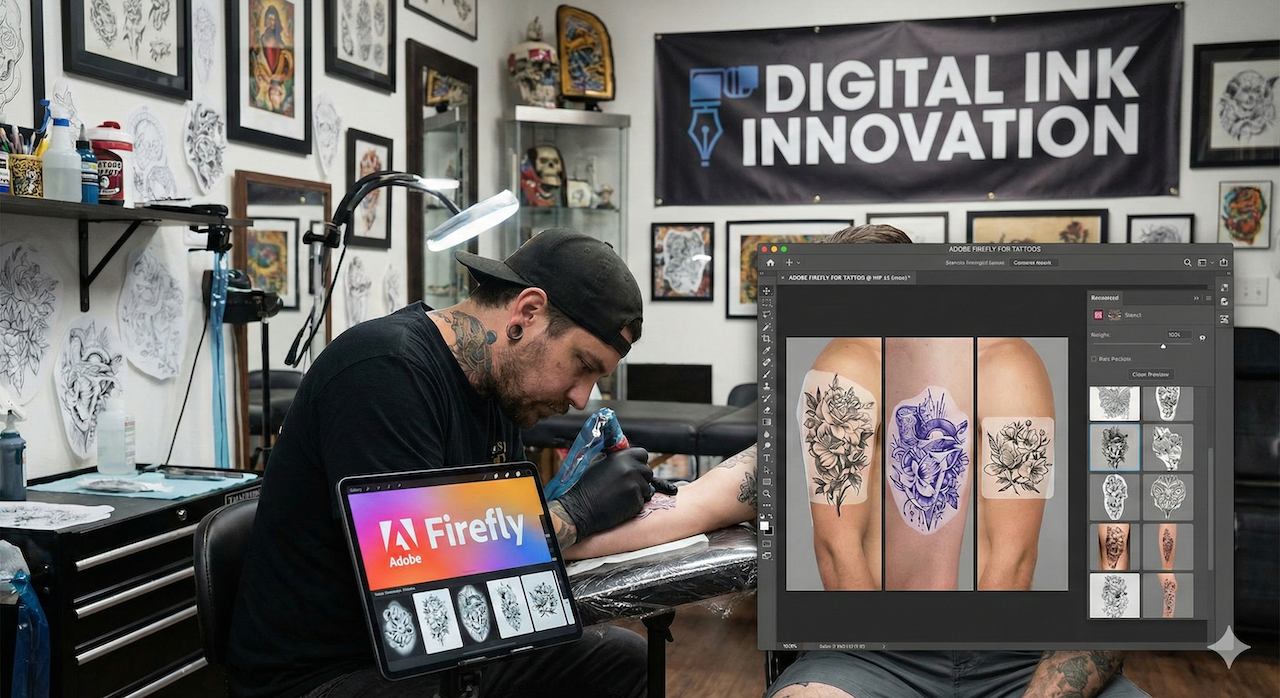
- Photoshop Integration: If you are a professional artist who already uses Photoshop, Firefly is right there in your toolbar. The "Generative Fill" feature allows you to take a photo of a client’s arm and "paint" a tattoo onto it to see how it fits. It’s a manual process, but it works.
- Ethical Data: For artists worried about AI stealing style, Adobe’s approach is the most transparent. You aren't ripping off a specific artist's Instagram feed; you are remixing stock photography.
- Vector Support (Firefly Vector): Adobe Illustrator’s Firefly Vector model is actually quite interesting for Neo-Traditional artists because it generates scalable vectors (SVGs) rather than pixels. This makes resizing designs for stencils much easier without losing quality.
The Cons: Why Firefly Isn't Built for Ink
Here is the harsh reality: Adobe Firefly is not a tattoo tool. It is a digital art tool. When you try to use it for the specific needs of the tattoo industry, you hit several walls.
1. The "Stencil Problem"
This is the #1 complaint from tattoo artists. To tattoo a design, you need a stencil—a clean, black-and-white line drawing.
Firefly generates fully rendered images with lighting, shadows, and backgrounds. Converting a Firefly image into a clean stencil requires jumping into Photoshop and spending 20 minutes editing levels and curves. It doesn't give you a "ready-to-ink" file.
2. No Body Awareness
Firefly generates square or rectangular images. It does not understand that an arm is a cylinder or that a chest has curves. If you ask for a "sleeve tattoo," it gives you a flat rectangular pattern. It cannot warp the design to fit the anatomy of the body automatically.
3. Static Images Only (No Animation)
In 2025, the digital tattoo experience is evolving. Users want to see how their tattoos come to life. Firefly produces static JPEGs. It cannot show you how the ink moves, breathes, or looks in motion.
This brings us to the most significant gap in the market: Motion.
The Better Alternative: Why Specialized Tools Win
If you are serious about digital tattoo design, you need a tool built for the trade. Generalist engines like Firefly leave a gap that specialized AI tools fill. Here are the three names that consistently outperform Firefly for tattoo work in 2026, plus a wildcard worth knowing.
1. Leonardo.ai — Best overall
Trained with art-friendly models, Leonardo delivers cleaner line art than Firefly, with a real "tattoo flash" preset. Generous free tier (150 credits/day), Pro plan at $12/month. Our top pick for 2026.
Try Leonardo.ai →2. Midjourney — Best for artistic depth
Still the gold standard for fine-art aesthetics. If you want neo-traditional, realism or watercolor tattoos with serious mood, Midjourney is unbeatable. Discord-based interface, $10/month entry plan.
Try Midjourney →3. BlackInk.ai — Best for pure tattoo workflow
The only tool here purpose-built for tattoo artists: pre-trained models for blackwork, fineline, old-school. No need to write "tattoo style" in every prompt — the AI already knows. Most efficient for flash generation.
Try BlackInk.ai →Bonus — Krea.ai for real-time iteration
Krea's real-time generation (you tweak a prompt and the image updates instantly) is a game-changer for iterating on a tattoo idea fast. Less specialized than the three above, but unmatched for brainstorming sessions.
Try Krea.ai →While all four alternatives generate static designs, only a handful of tools handle motion. If you also want to bring a finished tattoo design to life, our guide "How to animate a tattoo with AI" covers the dedicated animation tools to layer on top.
Note: Encre Vive (this site) operates as an independent review platform and also offers a free tool to animate finished tattoo designs. We've focused this comparison on AI generators because that's what readers asked us to test.
How to Get the Best Results (If You Stick with Firefly)
If you already have an Adobe Creative Cloud subscription and want to force Firefly to work for tattoos, here is our expert "Prompt Engineering" guide to get passable results.
The "Clean Line" Hack
To avoid the hyper-realistic 3D look, you need to use negative prompts and specific style keywords.
Try this prompt structure:
[Subject] tattoo design, white background, high contrast, clean lines, black ink only, vector style, minimal shading, no background, 2d flat design.
Keywords to Avoid:
- Photorealistic (adds too much texture)
- Cinematic lighting (adds shadows that mess up stencils)
- Octane render (too 3D)
Using Reference Images
Firefly allows you to upload a "Structure Reference." If you have a rough sketch on a napkin, upload it. This helps guide the AI to keep the composition you want, rather than hallucinating a random layout.
The Verdict: Should You Use Adobe Firefly for Tattoos?
The Short Answer: Only for initial inspiration.
The Long Answer:
Adobe Firefly is an incredible piece of technology for graphic designers, photographers, and marketing agencies. However, for the specific, niche requirements of the tattoo industry, it is often more work than it is worth. The lack of stencil generation and the inability to visualize the tattoo on the body or in motion makes it a "clunky" part of the workflow.
Use Adobe Firefly if:
- You are already a Photoshop expert.
- You just want a mood board or rough idea.
- You need to expand the background of a photo.
Use Encre Vive if:
- You want animation to bring your tattoo ideas to life.
- You need specific tattoo styles without complex prompting.
- You want a tool designed by tattoo lovers, for tattoo lovers.
Ready to Upgrade Your Ink?
Don't settle for static, flat images that don't fit your body. Experience the future of digital tattooing.
Try Encre Vive's free AI animation toolJoin thousands of users creating and animating their dream tattoos today.
Frequently Asked Questions (FAQ)
Is Adobe Firefly free to use?
Adobe Firefly offers a free web version with a limited number of "generative credits" per month. However, for full features and high-resolution downloads without watermarks, you usually need an Adobe Creative Cloud subscription.
Can Adobe Firefly create tattoo stencils?
Not directly. It creates fully rendered images. To get a stencil, you would need to take the Firefly image into Photoshop, desaturate it, adjust the threshold, and trace the lines manually. Specialized AI tattoo tools handle this much better.
Who owns the copyright to AI tattoo designs?
With Adobe Firefly, Adobe claims that images generated are safe for commercial use, meaning you can use them. However, copyright laws regarding AI are still evolving in the US. In contrast, using a platform specifically designed for user-generated tattoo art often simplifies the ownership conversation.
What is the best AI for tattoo design in 2026?
Leonardo.ai leads our 2026 ranking for the best balance of quality, price and tattoo-specific features. Midjourney remains stronger for artistic depth, and BlackInk.ai is the most specialized for pure tattoo workflow.
Why do my AI tattoos look weird?
AI struggles with coherence. In Firefly, you might see a snake with two heads or a hand with six fingers. This is called "hallucination." It happens because the AI predicts pixels, it doesn't "know" biology. Always have a professional tattoo artist refine any AI design before tattooing it on your skin.