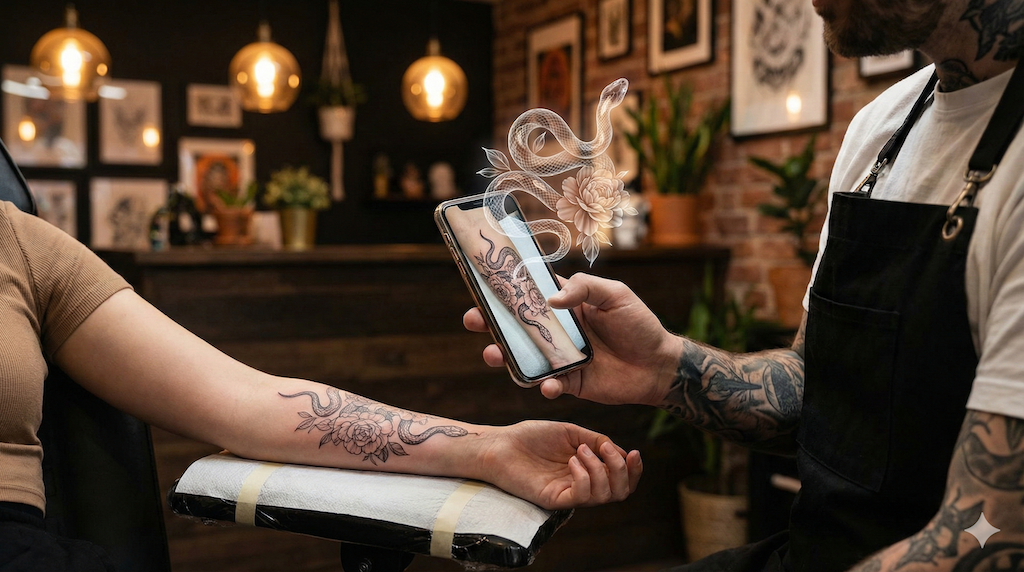
You have a tattoo you love, or a design waiting for its appointment, and one very specific wish: to see it move. The swallow beating its wings, the wave rolling, the rose opening. People search for it under different names (tattoo GIF, animated tattoo, "make my tattoo move"), but the question is always the same: how do you go from a still photo to a short, living loop, without knowing the first thing about animation?
This guide walks through every method that actually exists in 2026, from frame-by-frame hand animation to tattoo-specific AI, with a step-by-step tutorial and a clear answer on formats: when you truly need a .gif file, and when a short video does the job better.
What Is a "Tattoo GIF", Exactly?
A tattoo GIF is a short animated loop built from a tattoo: the design moves while the skin around it stays natural. One useful clarification before anything else: in everyday language, "GIF" now means any short loop that repeats, but in practice most platforms (Instagram, TikTok, WhatsApp) actually serve short MP4 videos, which are lighter and look better. Even most "GIFs" on Giphy are delivered as video files. Keep that distinction in mind, because it simplifies everything: the real goal is a great animated loop; the final file (GIF or MP4) is a choice you make at the very end, depending on where you want to share it.
Why has this become such a common request? Three reasons come up again and again among our users:
- Sharing something different: a tattoo photo gets a like, an animated loop gets sent, commented on and watched twice. In a story or on a profile, motion stops the scroll.
- Seeing the design the way you imagine it: most tattoos depict something alive or in motion (an animal, a flower, a wave, a flame). Animation simply shows what the design already suggests.
- Keeping a living memento: for a memorial piece or a deeply personal design, the animated version becomes a small object of its own, kept on your phone and shown around.
Three Ways to Make a Tattoo Move, Compared Honestly
There is no single "best" method: it depends on how much time you want to spend and how much control you need. Here is the honest landscape.
Hand Animation (After Effects, Procreate Dreams): Total Control, at the Cost of Learning It
This is the motion designer's path: cut out the design, split it into layers, animate every element by hand. The result can be gorgeous and controlled down to the pixel. The cost matches: professional software to learn, and hours of work for a few seconds of animation, plus a subscription for the paid tools. It is the right route if you are a designer, or ready to become one; it is not the way to animate a photo of your forearm on a Sunday evening. We covered this match-up in detail in AI vs motion designer for tattoo animation.
Generic Photo Animation Apps: Fast, but Not Built for Ink
Consumer mobile apps can add motion to any photo: you "paint" direction arrows and the app warps that area. On a landscape or flowing hair, it works. On a tattoo, the limit shows quickly: these tools push pixels around without understanding that there is an inked design sitting on skin. The frequent result: the skin ripples along with the design, outlines smear, and a jelly-like wobble gives the trick away. Fine for a simple effect (smoke, a background), disappointing as soon as the design itself has to move. Our comparison of tattoo animation apps puts the main ones through their paces.
Tattoo-Specific AI: a Photo Is Enough
The third path is the one we built with our studio: a generative AI trained to animate the design without warping the skin. You upload a photo, describe the movement you want in one sentence, and the tool generates a short video (5 or 10 seconds) where the swallow flies or the flower opens while the arm stays an arm. No skills required, a few minutes end to end. In full transparency: the result depends on the photo quality and the style of the design (a crisp, high-contrast outline animates better than very diffuse dotwork), and this is AI generation, not a $500 motion design commission: on very complex briefs, the human artist still wins.
The Match-Up at a Glance
- Hand animation: pixel-perfect control; hours of work and real software to learn.
- Generic photo app: free or nearly, instant; skin warps and outlines smear.
- Tattoo-specific AI: a few minutes, no skills needed; the result depends on your photo and the design's style.
Tutorial: Your Tattoo as a GIF in 4 Steps
Here is the full journey with our studio, from photo to shareable file. Allow under ten minutes the first time.
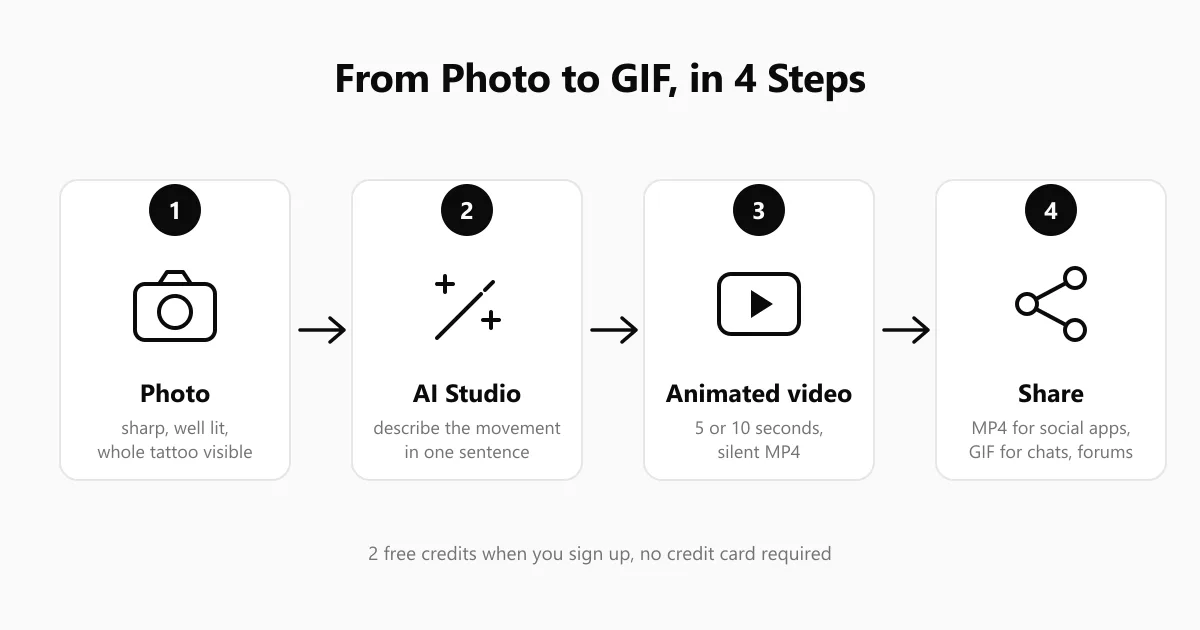
Step 1: Photograph the Tattoo (or Prepare the Design)
The quality of the animation is decided here first. Three simple rules: natural light with no shadow across the design, a straight framing where the whole tattoo is sharp and visible, and relaxed skin (no flexed muscle distorting the lines). If your tattoo only exists on paper or as a file so far, that works too: the studio animates designs and flash sheets, not just healed tattoos.
Step 2: Upload the Photo and Describe the Movement
In the animation studio, upload your image (JPG, PNG or WebP). The tool starts by analysing it: it identifies the design and suggests a movement description, which you can apply as-is in one click or replace with your own. This is the creative moment of the whole process: "the swallow's wings beat slowly", "the wave rises and rolls back in a loop", "the rose petals open". One precise sentence about a single movement almost always beats a shopping list of effects. To know what animates best per design, our guide on which tattoo style animates best with AI gives style-by-style pointers.
Step 3: Pick a Duration and Generate
Two durations are available: 5 seconds (10 credits) or 10 seconds (20 credits). For a loop headed to social media or a GIF, 5 seconds is plenty: the best loops are short. Generation takes about one to two minutes, then you download a silent MP4 video, on purpose (nobody wants AI-generated sound over a tattoo). Let's be precise here: the studio produces a video, not a .gif file directly; converting, when useful at all, is what the next step is for. On sign-up you get 1 free generation of 3 images, no credit card required, after a no-account trial with 3 variations; animations and paid offers have been open since late August 2026.
Step 4: Convert to GIF (Only If You Actually Need One)
Where do you want to share your loop? The answer picks the format:
- Instagram, TikTok, stories, WhatsApp: keep the MP4 as it is. It is the format these platforms expect, with better quality and a lighter file than any GIF.
- Discord, forums, blog posts, older messaging apps: this is where a real .gif file earns its keep. Free online converters such as ezgif.com or Giphy's GIF Maker turn your MP4 into a GIF in about a minute: upload the video, adjust the size if needed, download.
The tip that changes the result: a GIF is limited to 256 colours and balloons in size very fast. For a sharp, light GIF, stick to the 5-second loop and a width of 480 to 640 pixels: plenty for a chat or a forum, and about ten times lighter.
What Next? Three Ideas for Your Animated Loop
Once the file is on your phone, it lives happily outside social media too: as a phone wallpaper (short loops are perfect for it), as a GIF reply in your chats, or as a small gift: for a memorial tattoo, sending the animated version to the person it honours lands beautifully. Tattoo artists, for their part, have turned this into a communication tool in its own right; that is another story, covered in our guide to AI tattoo animation.
Frequently Asked Questions
Can Any Tattoo Photo Be Animated?
Almost. You need a sharp, well-lit photo showing the whole design. The studio actually analyses your image before generating and warns you if it is a poor candidate. Style-wise, figurative designs with bold outlines (animals, flowers, waves, flames) give the best results; standalone lettering or abstract geometric work gives the motion less to hold on to.
How Much Does It Cost to Turn a Tattoo Into a GIF?
With our studio: a no-account trial with 3 variations, then 1 free generation of 3 images on sign-up, no credit card; animations and paid offers have been open since late August 2026 (a 5-second animation costs 10 credits). Converting the MP4 to a GIF is free with the online tools mentioned above. Commissioning hand animation from a professional runs into hundreds of euros; generic photo apps are mostly free but hit their limits fast on ink.
Will the GIF Have Sound?
No, and that is deliberate twice over: the GIF format never carries sound, and the videos our studio generates are delivered silent on purpose, precisely so they stay clean to share anywhere.
What Is the Best Length for a Loop?
Short. Loops that work run 3 to 6 seconds: the movement has room to unfold and the repetition stays hypnotic rather than tiring. That is why 5 seconds is the studio's default choice; save 10 seconds for two-beat movements, like a wave that rises and then falls.
Can I Animate Someone Else's Tattoo?
The design belongs to the person wearing it and, on the creative side, to the artist who drew it. For private use (animating your partner's tattoo as a surprise), nobody will mind. For public or commercial use, ask the people involved first: the same courtesy rule as reposting someone's photo.
The Short Version
"Turning your tattoo into a GIF" is a two-step job: get a great animated loop (this is where tattoo-specific AI changed the game: a photo and one sentence are enough), then pick the right file for the destination, MP4 for social platforms, GIF for chats and forums. The simplest way is to create your account now: sign-up comes with 1 free generation of 3 images, on top of a no-account trial with 3 variations, no credit card, and animations have been open since late August 2026.