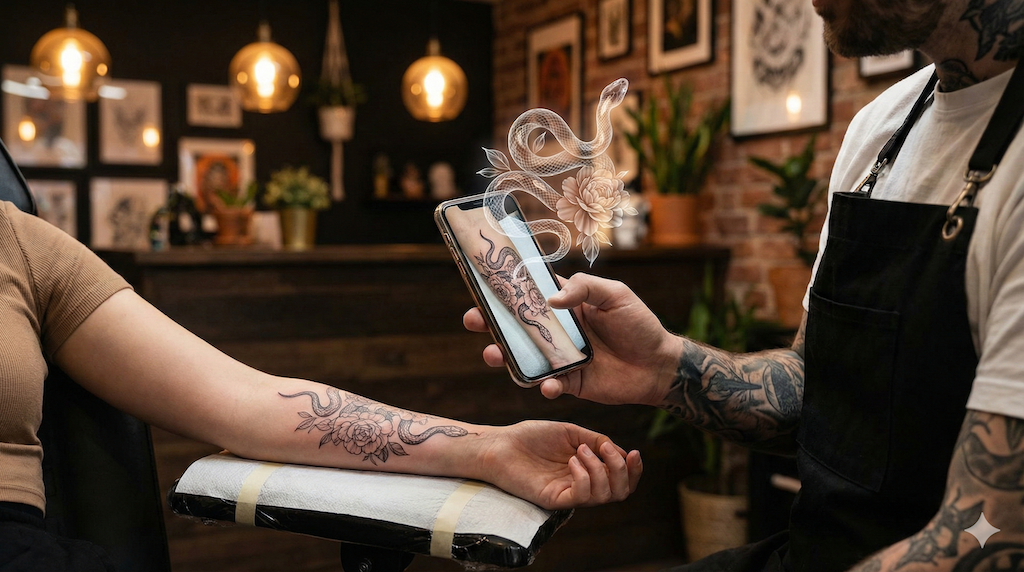
Tattoo wallpapers are everywhere on Pinterest, but none of them carries your ink. This tutorial takes the other route: putting YOUR tattoo on your lock screen, and in motion. The swallow on your forearm beating its wings every time you wake your phone: doable in fifteen minutes, with one photo, an animation AI, and two or three settings depending on your device. Here is the full walkthrough, pitfalls included.
Step 1: Get the Animated Version of Your Tattoo
The starting point is a short video where your design moves. That is exactly what our animation studio produces: upload a sharp photo of the tattoo (or the design), describe the movement in one sentence, and the tool generates a silent 5 or 10 second MP4. For a wallpaper, two choices matter from the generation stage:
- Duration: 5 seconds. You will see this screen dozens of times a day; a short, subtle loop ages far better than fireworks.
- Movement: restrained. "The wings beat slowly", "the petals quiver": on a lock screen, restraint reads as elegance, agitation reads as noise.
The full generation walkthrough (photo, prompt, credits) is in our guide to turning your tattoo into an animated GIF; a no-account trial gives 3 variations and sign-up comes with 1 free generation of 3 images, no credit card.
Step 2: Crop the Video to Screen Format
A phone screen is vertical (roughly 9:16); your video probably is not. Before any setup, crop it in your phone's editor (iPhone: Photos, Edit, Crop; Android: Gallery or Google Photos), placing the design where it will stay visible: mind the clock at the top and the icons at the bottom of the lock screen. The design breathes best in the central third.
Step 3 on iPhone: the Live Photo Detour
iOS does not accept a video as wallpaper: it wants a Live Photo. The conversion takes a minute with a dedicated app, the best known being intoLive (free with paid options): open your MP4 in it, export as a Live Photo, then set it as your lock screen wallpaper. The animation plays on a long press. Honest caveat: Apple has changed how animated wallpapers behave across iOS versions, so the exact rendering (long press, or animating as the screen wakes) depends on yours; the Live Photo route remains the standard path either way.
Step 3 on Android: More Direct, Brand Depending
Android is friendlier, with two scenarios:
- Your brand supports it natively. On most recent Samsung phones, open the video in Gallery, menu, "Set as wallpaper"; other brands offer an equivalent in their display settings.
- Otherwise, a "video live wallpaper" app bridges the gap: several free Play Store apps turn any video into an animated wallpaper, loop settings included. Pick a well-rated, recently updated one; the category moves fast.
The Tricks That Change Everything
- Battery: a 5-second loop costs little, but on OLED screens dark backgrounds genuinely save power; if your photo allows it, generate the animation on its natural dark background.
- Legibility: check the clock stays readable over the design; a high-contrast tattoo under the time costs you at every glance.
- Restraint: if the animation tires you after a week, it was too spectacular; regenerate with a softer movement.
Three Variations on the Same Pleasure
Once created, the animated file travels: as a smartwatch face (via a still extracted from the loop), as a tablet wallpaper, or as a loop on the cover screen of a folding phone. And for every other way to bring the design to life (social posts, GIFs, sharing), the starting point stays the same: our guide to AI tattoo animation.
Frequently Asked Questions
Does a Live Wallpaper Drain the Battery?
Much less than assumed for a short loop: the animation only plays when the lock screen is displayed, not continuously. On OLED screens, the real saving lever is how much of the image is black. If your phone's battery is on its last legs, stick to a static wallpaper regardless.
Does Any Tattoo Work?
The same rules as any animation: a sharp, well-lit photo and a design with bold outlines. Large figurative pieces (animals, flowers, waves) make the best wallpapers; a 3 cm micro tattoo loses its point once cropped to 9:16.
How Much Does It Cost in Total?
The animation: 10 credits for 5 seconds; sign-up comes with 1 free generation of 3 images, after a no-account trial with 3 variations, no credit card, and paid offers have been open since late August 2026. The wallpaper itself costs nothing (Live Photo conversion and Android apps have free versions).
Home Screen Instead of Lock Screen?
Possible on Android through live wallpaper apps; on iPhone, animation stays confined to the lock screen. Our usage advice: the lock screen is enough, it is the screen you see most, and an animated home screen fights your icons for attention all day.
The Short Version
Your tattoo as a living wallpaper comes down to: a sharp photo, a 5-second animation with restrained movement, a vertical crop, then Live Photo on iPhone or the native setting on Android. Fifteen minutes of setup for a screen nobody else has.