Back tattoo ideas for menFrom a shoulder-blade motif to a larger composition.
Compare back tattoos for men with an extended phoenix, a shoulder-blade koi and a centred rosette. Define the occupied area and movement before choosing the amount of detail.
More about this selection
A back project does not need to fill the entire area. Draw its boundaries and the spaces left open. For future extensions, explain how you imagine the shoulders and lower back without making the first piece feel unfinished.
Back tattoo ideas for men on skin
Light, medium and dark skin tones, different proportions and placements: compare how each motif sits on the body. These images are simulations created with our AI.
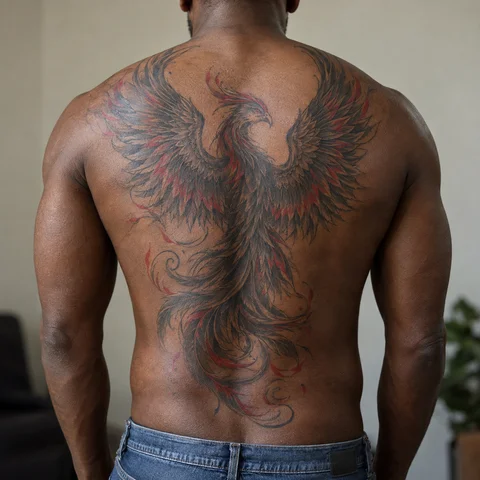
Phoenix in motion
A phoenix spreads its wings across the back. The feathers follow an overall movement rather than a pile of details.
PersonaliseKoi and waves
The fish’s diagonal brings movement to the upper back. Waves connect the elements of a larger composition.
PersonaliseA centred back rosette
Rows of petals develop around a centre on the upper back. Regular spaces separate each ring.
PersonaliseMore designs to explore
Try another direction: start with a line, a silhouette or a colour, then adapt the design in the studio.
A phoenix rising from its ashes
PersonaliseA koi fish surrounded by waves and cherry blossoms
PersonaliseA Japanese dragon coiled among clouds and waves
PersonaliseA symmetric mandala with a dotwork gradient
PersonaliseAn eight-petal geometric rosette with fine outlines and gradients of spaced black dots
PersonaliseOne large elegant peony bloom with flowing botanical leaves
PersonaliseTurn a reference into your own project
The back allows different projects: one shoulder-blade piece, a centred upper-back motif or a larger composition. The phoenix uses wingspan; the koi sits off-centre; the rosette develops around a focal point. Compare these structures before choosing a subject.
A back project does not need to fill the entire area. Draw its boundaries and the spaces left open. For future extensions, explain how you imagine the shoulders and lower back without making the first piece feel unfinished.
Explore tattoo meanings →Three directions to compare
The main outline
Start with the outer shape. Choose what you want to keep before adding lettering or secondary elements.
Explore this direction →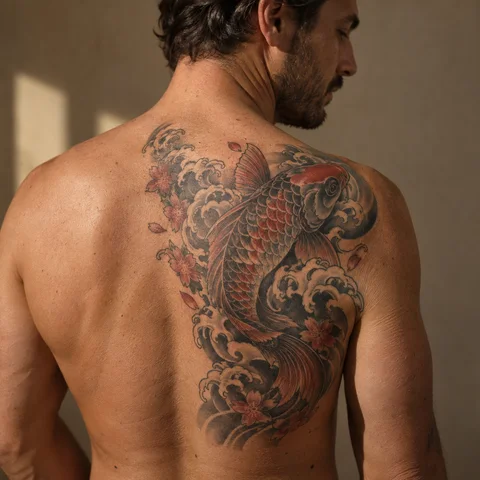
The contrast
Compare the dark lines with the open spaces. Ask your artist which details suit your intended size.
Explore this direction →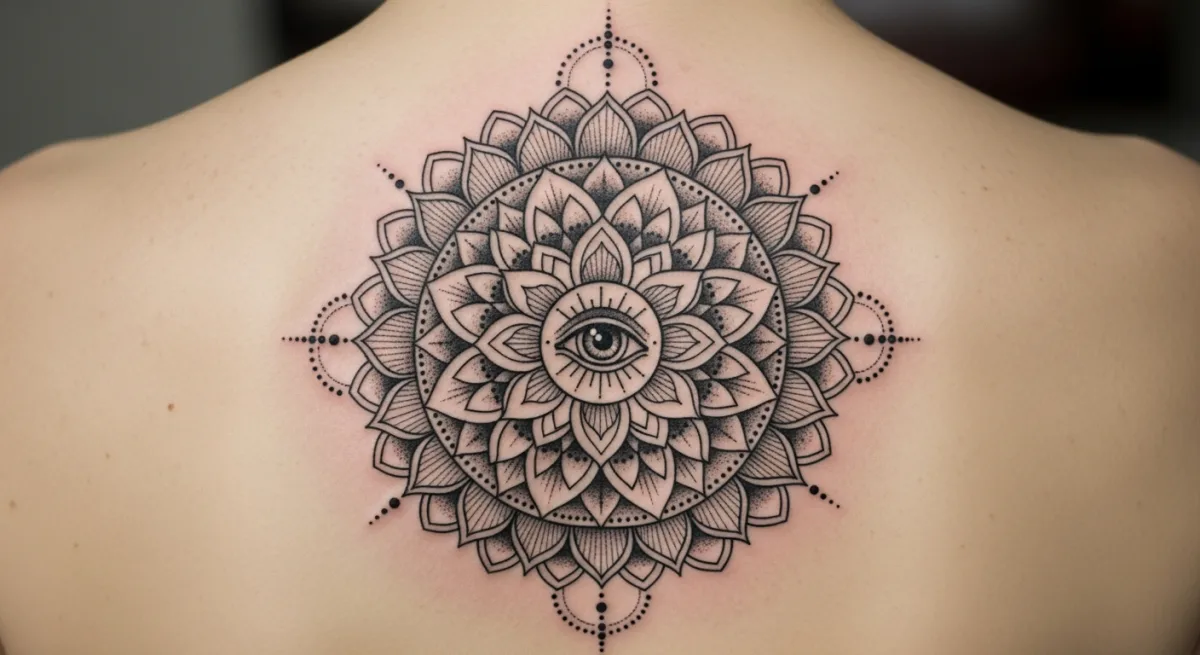
The placement
Look at the same reference at its actual size and from several angles. The placement is part of the composition.
Explore this direction →Where should your tattoo go?
One shoulder blade
The koi shows a localised curved composition. It can stand alone without a matching piece opposite.
Central upper back
A rosette establishes an axis. Check its placement standing naturally with the artist.
A vertical direction
A composition can follow the back’s height without filling its width. Compare spaced motifs and one continuous subject.
Set the scale of your project
A localised piece
Choose a clear boundary around the shoulder blade. The outline should remain understandable independently of the rest of the back.
A symmetrical centre
For a rosette, check its centre and gaps between rings. File symmetry alone cannot determine placement on the body.
An extended composition
For wings or a large subject, reserve the main shapes first. Textures should support the silhouette without filling all spaces.
Prepare your reference for the artist
Keep two or three references and note exactly what you want to retain from each. Specify placement, approximate dimensions and any existing tattoos nearby.
If the design includes letters or a date, prepare the exact text separately. AI images are starting points for discussion, not validated stencils or predictions of the final result.
More directions for your project
From the first design to your appointment
Clarify your reference
Keep a few images and explain what you like about each: the subject, linework, scale or placement. A reference starts a conversation; it is not a finished stencil.
Choose an artist for the style
Look at the artist’s own work, including healed examples where available. Discuss the intended dimensions, placement and any text before requesting a quote.
Check the final drawing
Review the stencil at its actual size and in several natural positions. Read names and dates character by character before approving them.
Prepare the appointment and aftercare
Ask your tattoo artist for preparation and aftercare instructions tailored to the session. The images here cannot determine what is suitable for your individual skin.
What if your next tattoo
started with your words?
Choose a direction, change a detail and create your own reference with Encre Vive.
Create my tattooView plans and creditsYour questions answered
01Do I need to plan a full back piece immediately?
Only if that is your intention. A localised piece can stand alone; tell your artist about any possible extension.
02Can I tattoo just one shoulder blade?
Yes. An asymmetrical composition can have its own balance. Check its position relative to the arm and the back’s axis.
03How do I choose one large motif or several small ones?
Compare an overall silhouette with separate pieces and regular gaps. Decide whether you want one shared scene or independent motifs first.
04How do I personalise a reference?
Choose a model to open the generator with its subject and style. Change the description before generating and check any letters or numbers in the result.
05Are the tattoos in the photographs real?
The photographs are AI-generated simulations. Lettering studies show example layouts; all references need adapting with a tattoo artist.
06How much should I budget?
Ask an artist for a quote based on the dimensions, placement and detail of your project. The gallery cannot determine the cost of your session.